
Wired vs Wireless Security Cameras: What’s Right for Your Property?
Property owners today face a common question when planning or upgrading their surveillance systems: should you choose wired or wireless security cameras? Both options promise safety and visibility, but they operate very differently and come with unique strengths and weaknesses. The right choice depends on your property type, security needs, and long-term priorities.
At Vulcan Security Systems, we’ve helped commercial and industrial clients evaluate both wired and wireless setups.
In this guide, we’ll cover how each system works, what property owners often misunderstand, the real costs involved, and where each option makes sense. Our goal is to ensure you have the facts you need to make the right decision for your property.
What Do Property Owners Need from a Security Camera System?
Most property managers and owners want the same three things from their security system:
- Reliability: A camera that records when you need it most, without frequent downtime.
- Security: Protection against tampering, hacking, or data loss.
- Cost Effectiveness: A solution that avoids hidden service costs and unnecessary maintenance.
These priorities often determine whether wired or wireless is the smarter investment.
How Do Wired Security Cameras Work?
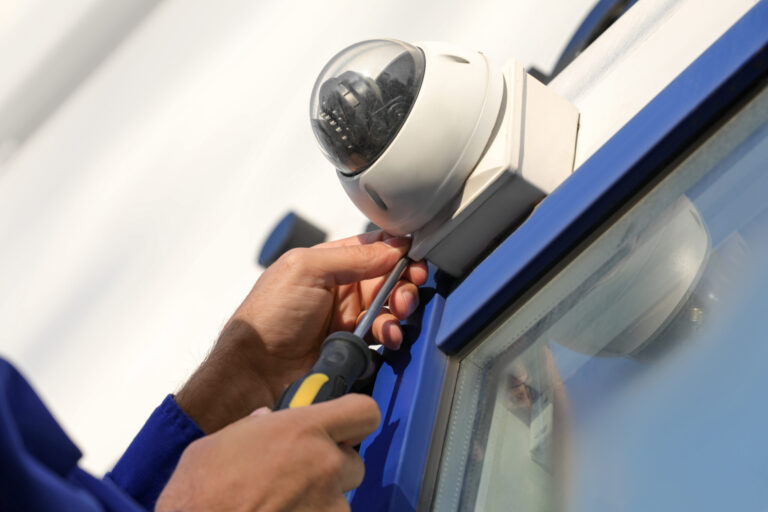
Wired cameras today typically use Power over Ethernet (PoE). This means one Cat6 cable provides both power and video data. The result is a stable connection, dependable performance, and minimal ongoing maintenance.
- Pros: Reliable, consistent, long lifespan (7–10 years), better for large properties and continuous use.
- Cons: Requires professional cabling, higher upfront installation cost.
For commercial or industrial sites where downtime is unacceptable, wired is almost always the better fit.
How Do Wireless Security Cameras Work?
Wireless cameras transmit video data over Wi-Fi or point-to-point radio links. Despite the name, they still require power, either via wiring, batteries, or solar.
- Pros: Easier to place in hard-to-reach areas, faster initial setup, sometimes useful for temporary installs.
- Cons: Dependent on Wi-Fi strength, batteries or solar require upkeep, less reliable for 24/7 commercial use.
In practice, wireless often works fine for a few days or weeks, then problems start to appear with power or connectivity.
Point-to-point systems can extend coverage to remote areas by using a transmitter and receiver to bridge the gap, but they add more hardware, require monitoring, and are prone to issues when power fails.
Battery-powered and solar setups also face limitations, as they introduce more frequent maintenance and shorter lifespans compared to wired alternatives.
Common Misconceptions About Wireless Security Cameras
- “Wireless means no wires.” Every camera still needs a power source. Truly battery-powered options require constant charging or replacement.
- “They’re cheaper overall.” While upfront costs may be lower, hidden service calls, battery swaps, and troubleshooting quickly add up.
- “You can place them anywhere.” Wireless depends on signal strength and bandwidth. Trees, walls, and long distances can degrade performance.
- “Cloud storage is safer.” Cloud-only recording stops when internet fails. Local redundancy is often more secure.
Wired vs Wireless: Which Is More Reliable and Secure?
- Wired Cameras: Store recordings locally, are less vulnerable to Wi-Fi outages, and benefit from stronger cybersecurity and system monitoring.
- Wireless Cameras: Depend on network strength, have more points of failure, and often rely on third-party cloud storage.
| Feature | Wired Cameras | Wireless Cameras |
| Power Source | PoE via Cat6 cable | Batteries, solar, or separate wiring |
| Data Transmission | Ethernet, stable and fast | Wi-Fi or radio, prone to interference |
| Reliability | High, runs through outages with backup | Variable, often inconsistent |
| Maintenance | Low, predictable | Higher due to batteries & service calls |
| Best Fit | Commercial, industrial, mission-critical | Niche, remote, or residential setups |
Remote Access and Cloud Storage Considerations
- Wired Systems: With remote connectivity, you can log in to the on-site server just as if you were physically present. This avoids many of the limitations of cloud-only setups.
- Wireless Systems: Often marketed as more convenient for remote viewing, but they rely on upload speeds from the property. Most business internet has far slower upload than download speeds, which can limit video quality.
The cloud has advantages in accessibility, but it introduces higher monthly costs and more dependence on internet uptime.
Cost of Ownership: Wired vs Wireless Systems
- Wired: Higher upfront cost, lower long-term costs. Less service intervention needed.
- Wireless: Lower upfront cost, but ongoing costs include service calls, battery replacement, and increased downtime.
The real cost is not just financial, it’s peace of mind. If your system fails during a critical event, the consequences are much more expensive than a proper wired setup.
When Wireless Might Make Sense
Wireless isn’t always the wrong answer. It can be useful in:
- Remote buildings: When running fiber or cabling is cost-prohibitive.
- Line-of-sight challenges: Point-to-point radio links can connect areas without trenching cable, though they require more hardware and monitoring.
- Temporary setups: Construction sites, events, or short-term monitoring.
- Residential properties: Where occasional downtime is tolerable and budgets are tighter.
Even in these cases, wireless is typically a compromise, not a preferred choice.
Choosing the Right System for Your Property
For most commercial and industrial properties, wired IP cameras are the clear choice. They provide stability, security, and predictable costs over time. Wireless cameras can fill niche roles but are rarely suited for mission-critical, always-on monitoring.
At Vulcan Security Systems, we help clients weigh these trade-offs honestly. Sometimes that means recommending wired, and other times it means explaining why wireless won’t deliver the results they expect. Either way, the goal is the same: reliable protection for your property.
FAQ
Do wireless cameras need internet to work?
Yes, most wireless systems depend on Wi-Fi and cloud storage. If the internet goes down, recording may stop.
How long do batteries last in wireless cameras?
Battery life varies but is often only days or weeks—not suitable for continuous commercial use.
Are wired cameras harder to install?
They require professional cabling, but the investment pays off with years of reliable service and fewer interruptions.
Which lasts longer, wired or wireless?
Wired cameras typically last 7–10 years. Wireless cameras often need ongoing maintenance and hardware swaps.
When is wireless the better option?
In rare cases where cabling isn’t possible or cost-effective, such as connecting separate buildings or temporary monitoring setups.