Why Your Security Cameras Could Be a Cybersecurity Risk
Security cameras can become a cybersecurity risk because every IP camera is a small networked computer with its own login and internet connection. A camera running a default password or outdated firmware is an open door, not because your IT team did anything wrong, but because the camera itself was never built with security as a priority.
We install and support AI-powered video security systems across Alabama, and network security is part of every system we design.
This guide explains how a camera becomes a cybersecurity risk, what a properly secured setup looks like, and what to check if you are not sure how your current system stands.
How a Camera Becomes a Cybersecurity Risk
An IP camera runs an operating system and software that needs maintenance, just like any other computer on your network. A few common issues turn that device from a tool into a liability.
- Default or weak credentials. Many cameras ship with a default username and password that installers never change. Lists of these defaults are publicly available online, and attackers use them to scan for exposed devices automatically.
- Outdated firmware. Manufacturers release security patches regularly. A camera running old firmware has known, exploitable vulnerabilities that were already fixed, just not applied to your system.
- No network segmentation. Cameras on the same network as your point of sale system or file server give an attacker a direct path to everything else once they are in the camera. One compromised device becomes a pivot point.
- Weak cloud platforms. If a manufacturer’s cloud service is breached, your footage and network credentials can be exposed without any failure on your end. You are only as secure as the platform your system depends on.
- Exposed remote access. A poorly configured port forward or unsecured VPN can make a camera discoverable directly from the public internet, searchable on tools like Shodan without any advanced hacking required.
These are not obscure, sophisticated attack vectors. They are well-documented, widely exploited issues, and the reason certain camera manufacturers have faced government restrictions in recent years.
What a Secure Camera System Looks Like
Network Segmentation
Cameras should sit on their own isolated network segment, separate from point of sale terminals, employee computers, and file servers. This is one of the most important and most frequently skipped steps in a security camera installation. If a camera is compromised, segmentation limits what an attacker can actually reach from there. Without it, the camera is a door into everything.
Strong, Unique Credentials
Default passwords should be changed at install, and every device in the system should have a unique login. Access should be limited to people who actually need it, with different permission levels for different roles where possible. Using the same password across multiple devices means compromising one compromises all of them.
Regular Firmware Updates
A camera system needs ongoing maintenance, just like a computer network. That means applying manufacturer security patches as they are released, not waiting until something breaks. A proactive service maintenance plan should include firmware management as a standard deliverable, not an optional add on.
Hardware Built for Security
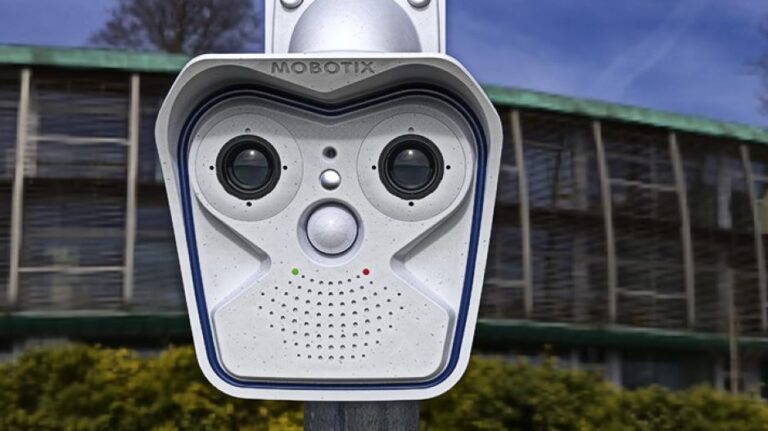
Not every manufacturer approaches security the same way. We use Mobotix partly because of its decentralized architecture, which does not require routing footage through a third party cloud. Processing happens on the camera itself, which removes the cloud dependency that creates an additional attack surface outside your control. More on that in what Mobotix is and why we use it.
Encrypted Transmission and Storage
Strong credentials protect access to the system. Encryption protects the footage and data itself if someone gets past that access layer. Video streams should be encrypted in transit, and stored footage should not be sitting in plain text format accessible to anyone who gets into the right folder.
A Provider Who Understands Network Architecture
An installer who mounts hardware and runs cable is not the same as a provider who understands how camera systems interact with your broader network. We cover what to look for in how to evaluate a commercial security systems provider. Remote support and ongoing access management are part of the ongoing security posture, not just a one time configuration.
Why This Connects to Ownership
Cybersecurity risk often shows up alongside a related issue: who actually controls your system. Proprietary platforms that lock you into one vendor’s cloud and update schedule can leave you stuck if that vendor is slow to patch a security flaw or discontinues support entirely. We explore this in the downsides to proprietary security equipment and in our post on what it actually means to own your security system.
Quick Checks for Your Current System
- Have you changed the default password on every camera and recorder, or did your installer skip that step?
- Are your cameras on a separate network from your point of sale system and file storage?
- Do you know what firmware version your cameras are running, and when it was last updated?
- Does your footage route through a third party cloud, and do you know how that provider secures it?
- Is remote access protected by more than a single shared password, and do you know who has it?
If you answered “I don’t know” to more than one of those, it is worth having someone take a real look. Your camera system should be treated the same way you would treat any other device with network access, because that is exactly what it is.
The Bottom Line
A security camera is a networked computer first and a camera second. Segmenting your camera network, keeping firmware current, using strong unique credentials, and choosing hardware built around security architecture will close most of the meaningful gaps. The risk is real, but it is also largely preventable with the right setup from the start.
If you are not sure how secure your current setup really is, Vulcan can take a look and give you a straight answer.
Frequently Asked Questions
Can a hacked security camera affect the rest of my network?
Yes, if the camera shares a network with other devices without segmentation. An attacker who compromises a camera can potentially move laterally to point of sale systems, file servers, or other connected devices from that entry point.
Are cloud-based cameras less secure than local storage?
Not automatically. The risk depends on the cloud provider’s security practices, not simply whether the system uses the cloud. The key question is whether footage is encrypted, access is controlled, and the provider has a track record of patching vulnerabilities quickly.
How do I know if my cameras have outdated firmware?
Most camera management software shows the current firmware version, which you can compare against the manufacturer’s latest release on their support page. A security provider doing regular maintenance should handle this check automatically.
Is it expensive to fix a poorly secured camera network?
The foundational fixes, changing default passwords and segmenting the network, cost little beyond the time of someone who knows what they are doing. Replacing fundamentally insecure hardware costs more, but the cost of a breach or a compromised network is almost always higher.
Does the brand of camera affect cybersecurity risk?
Yes, significantly. Some manufacturers use closed, proprietary cloud platforms with limited transparency, while others use decentralized architectures that reduce external dependencies. We explain why hardware choice matters in what Mobotix is and why we use it.