How Smart Cameras Reduce Downtime in Automated Facilities
Smart cameras reduce downtime in automated facilities by acting as eyes on a floor that has fewer people watching it. They flag people entering robot cells, equipment running hot, and smoke or fire in unattended areas. They also let a technician see a fault from a phone before walking out to it. Your team catches problems earlier and fixes them faster, often with the right part in hand on the first trip.
Vulcan Security Systems designs and installs AI-powered IP video systems for manufacturing plants and industrial sites across Alabama. In this article, we cover the causes of downtime that automation makes harder to see and how smart cameras help with each. We also explain how cameras fit next to your machine controls and how to decide where to start.
Why Automated Facilities Lose Time Differently
Automation changes who is on the floor. A line that once had a dozen operators may now have two technicians covering several cells. Some areas run lights out on nights and weekends. That is the point of automation, but it also means fewer people notice when something starts to go wrong.
When a fault does happen, the control system usually reports that a machine stopped. However, it rarely shows what the technician will find when they get there. So the tech walks out, looks, walks back for a tool or part, and walks out again. In a large building, that loop can take longer than the repair. That is why downtime in automated facilities often comes down to visibility, not repair skill.
This matters a great deal in Alabama. The state’s automakers have a combined capacity of 1.3 million vehicles a year and support more than 53,000 direct jobs, according to the Alabama Automotive Manufacturers Association. Behind them sits a large network of highly automated suppliers. For those plants, a stalled cell can quickly ripple down the supply chain.
The Most Common Causes of Downtime Smart Cameras Help Prevent
Safety Stops From People Entering Robot Cells
Robot cells and automated equipment stop when someone breaks a light curtain or opens a guarded door. That is exactly what should happen. Still, repeated safety stops add up, and the control system rarely records who triggered them or why.
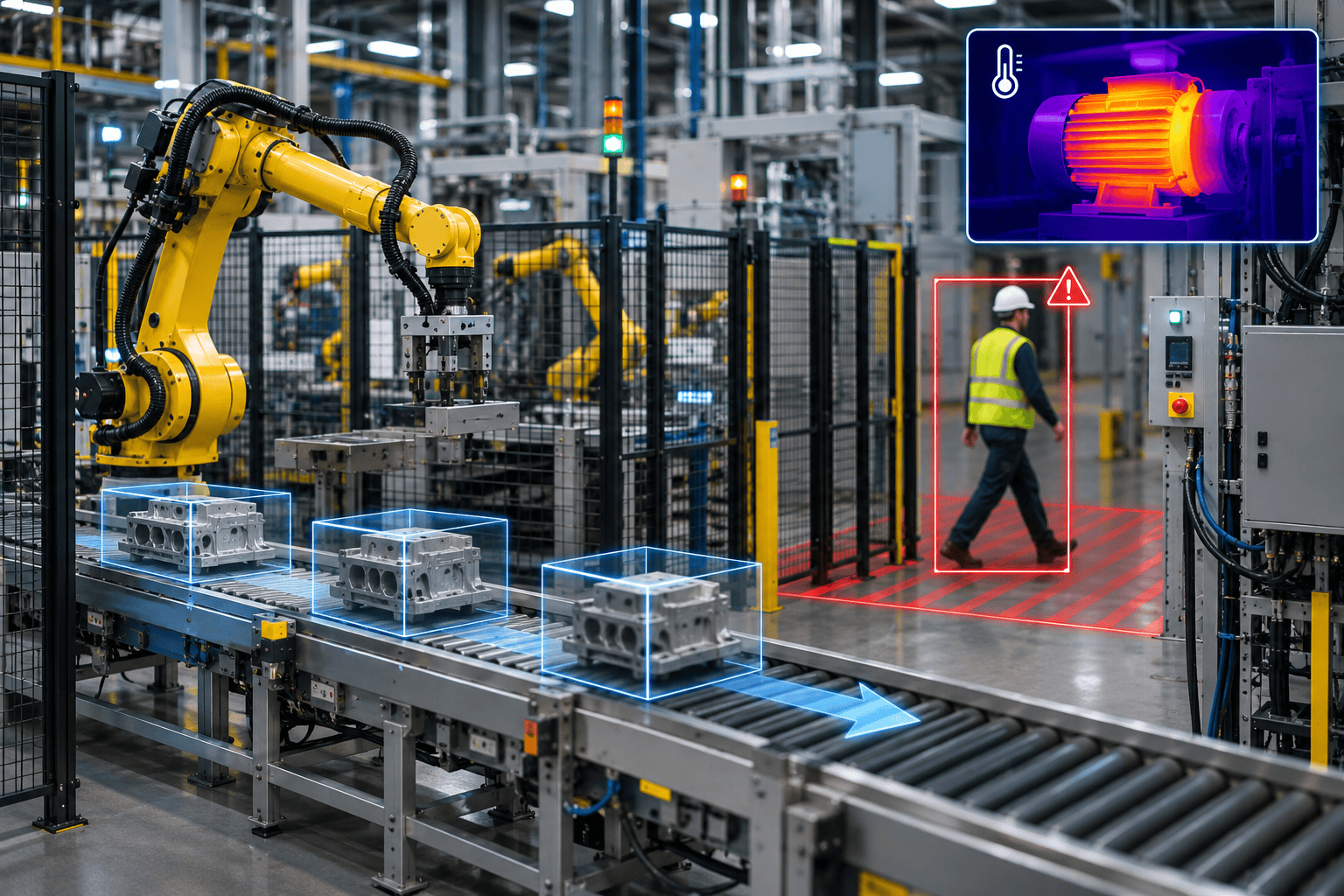
In practice, AI people detection with a virtual boundary around each cell fills that gap. When a person crosses the line, the system saves a clip. Over a few weeks, you can see whether stops come from a material handoff problem, a training gap, or a shortcut people take. Then you can fix the cause instead of resetting the cell again and again.
Motors, Drives, and Panels Running Hot
Thermal cameras monitor surface temperature continuously. Pointed at drive cabinets, motors, bearings, or conveyor gearboxes, they flag heat anomalies before a component fails. That warning turns an unplanned breakdown into a planned repair during the next scheduled stop.
This is especially valuable in lights-out areas, where nobody would smell a hot motor or notice a panel running warm. We cover the approach in more detail in thermal cameras for predictive equipment maintenance.
Fire and Smoke in Unattended Areas
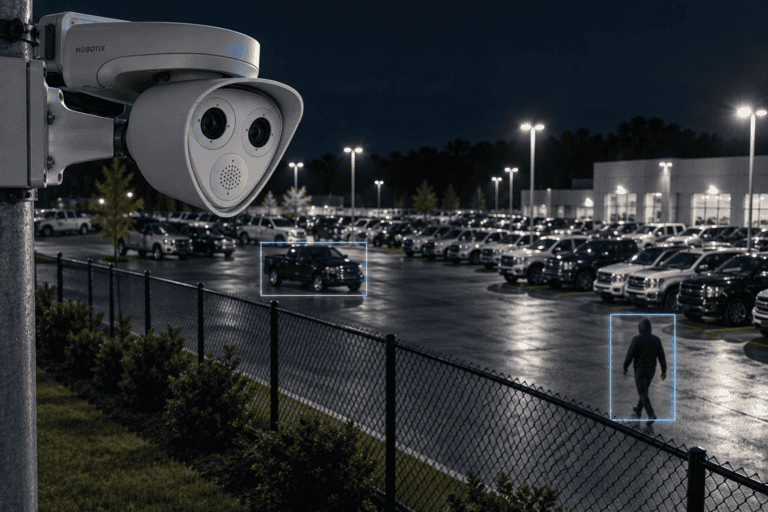
A fire causes the longest downtime of all. AI fire and smoke detection reads flame and smoke directly from the camera feed. Thermal detection, in turn, can catch heat building before flames appear. Both can alert before traditional detectors activate, which matters most in large, high-ceiling spaces where smoke takes time to reach a sensor.
Jams and Pileups on Automated Conveyors
Automated material handling depends on product moving smoothly from one station to the next. When something wedges at a transfer point, the pileup can stop a whole line. In practice, cameras watching those points can flag product that stops moving or builds up. We explain how that works in how AI cameras can detect production line stoppages.
Slow Diagnosis When Nobody Is Nearby
Remote access lets a technician view any camera from a phone or laptop. When a cell faults, they can look first and walk second. In many cases, a single look tells them which tool or part to bring. That alone can save the slowest part of most repairs.
Pan, tilt, and zoom cameras take this further, letting a remote viewer zoom in on a gauge or a jammed part. One of our clients found that remote viewing paid off well beyond security, as we describe in this metals recycling case study.
Changeovers and Restarts That Run Long
Not all downtime is a breakdown. Planned changeovers and restarts after maintenance often run longer than scheduled, and nobody is quite sure why. Recorded video of a changeover gives your team a clear view of every step. As a result, engineers can spot waiting, searching for tools, or steps done out of order.
This works much like a traditional time study, without someone standing on the floor with a stopwatch. Teams can review it together and agree on improvements.
Cameras That Fail Quietly
None of this helps if the camera itself is down. In automated facilities, nobody walks past a monitor and notices a black screen. Our proactive service maintenance tracks camera uptime and flags outages right away. In addition, our remote support fixes many camera issues without a site visit.
How Smart Cameras Fit Into an Automated Facility
Reducing downtime in automated facilities starts with knowing which stops cost the most. Here is how we usually approach it:
- List your costliest stops. Use your maintenance records to find the equipment and areas that cause the most lost hours.
- Match a camera type to each risk. Thermal for heat, standard IP video cameras for cells and conveyors, and PTZ where remote viewers need to zoom.
- Keep the camera network separate. Cameras should sit on an isolated network, apart from your control systems. Our post on what makes a camera system hard to hack explains why.
- Route alerts to maintenance, not just security. A heat alert belongs with the person who can fix the motor.
- Review clips after every major stop. Over time, the video record shows patterns your fault logs cannot.
Because AI processing runs on the camera itself, video stays on your network and does not depend on a cloud connection. Some analytics need specific camera models, which our AI camera capabilities page lists.
You also do not need to cover the whole plant at once. Many facilities start with a thermal camera on their most failure-prone equipment and a few cameras on their busiest cells. Once those prove their value, the rest of the floor follows.
Smart Cameras vs. Machine Sensors: When to Use Each
Your machines already report a great deal through their controls. Cameras do not replace any of that. Instead, they fill in what sensors cannot see.
- Machine sensors and controls are the fastest, most precise way to know a machine faulted. Keep them as your primary signal.
- Smart cameras show the surroundings: who walked into the cell, what jammed, which panel is warm, and what the tech will find on arrival.
- Together, they shorten the gap between a fault and a fix. That gap is where most avoidable downtime lives.
Cameras also cover older equipment that reports little or nothing. Many plants run modern robot cells next to decades-old machines. A camera is often the simplest way to give the older equipment the same visibility. For maintenance teams, that means one place to look, whether the machine is new or old.
Quick Checklist: Where Cameras Would Cut Your Downtime
Cameras tend to pay off fastest when several of these sound familiar:
- Technicians often walk out to a fault just to see what happened.
- Safety stops repeat at the same cells without a clear cause.
- Parts of the facility run lights out or with minimal staff.
- Motor or panel failures have caused long unplanned stops.
- Older machines sit next to newer automated cells.
- Nobody checks whether your existing cameras are actually online.
With Fewer People on the Floor, Cameras Become Your Eyes
Automation removes people from the floor, and with them goes a lot of informal watching. Smart cameras put that watching back. They catch people in robot cells, heat in motors and panels, and smoke in empty areas, and they let technicians see before they walk. The result is less downtime in automated facilities, with faster fixes when stops do happen.
If you want to know where cameras would save the most time in your facility, Vulcan will walk your floor with your maintenance team and show you what each camera would catch.
Frequently Asked Questions
Can cameras connect to our machine control system?
Cameras usually run on a separate, isolated network for security. Alerts can still go to your maintenance team by phone or email. We scope any deeper integration carefully so the camera network never exposes your controls.
Do thermal cameras replace a predictive maintenance program?
No. Thermal cameras add continuous monitoring of visible surfaces between scheduled checks. Vibration analysis, oil analysis, and routine inspections still play their own roles.
Will cameras work in lights-out areas?
Yes. Thermal cameras do not need light at all, and many IP cameras perform well in low light. We test every placement under the real lighting conditions of each shift.
Can our technicians view cameras remotely?
Yes. Authorized users can view live and recorded video from a phone or laptop. You can limit access by role, so maintenance sees production areas without access to every camera.
Can the same cameras handle security too?
Often, yes. A camera watching a robot cell during production can watch the same area for intrusion after hours. Planning both uses together keeps the camera count down.