How AI Cameras Track Pallet Movement Without RFID or Barcodes
AI cameras track pallet movement without RFID tags or barcode scans by watching the points every pallet has to pass. They log when a pallet enters or leaves a zone, read the printed text on its label, and record which forklift moved it and when. The result is a timestamped trail of checkpoints. It is not a live dot on a map for every pallet. However, for most warehouses, that trail answers the question that matters: where did this pallet go?
Vulcan Security Systems designs and installs AI-powered IP video systems for warehouses, plants, and distribution centers across Alabama. In this article, we explain how camera-based pallet tracking works and what problems it solves. We also cover how it compares with RFID and barcodes and how to tell whether it fits your operation.
Why Pallets Go Missing Inside Their Own Building
Most pallets that go “missing” never leave the building. A driver drops one in the wrong lane. Someone moves it to make room and forgets to update the system. A worker skips a scan during a rush. Then the pallet sits in plain sight while the team searches for it.
Barcode and RFID systems depend on a person or a reader being in the right place at the right time. When someone skips a step, the record breaks. In contrast, cameras keep watching whether anyone scans or not. That is why they work well as a backup to the systems you already run, or as a first layer where you have none.
How AI Cameras Track Pallet Movement
Camera-based tracking combines a few specific capabilities. Each one answers a different part of the question.
Zone Entry and Exit
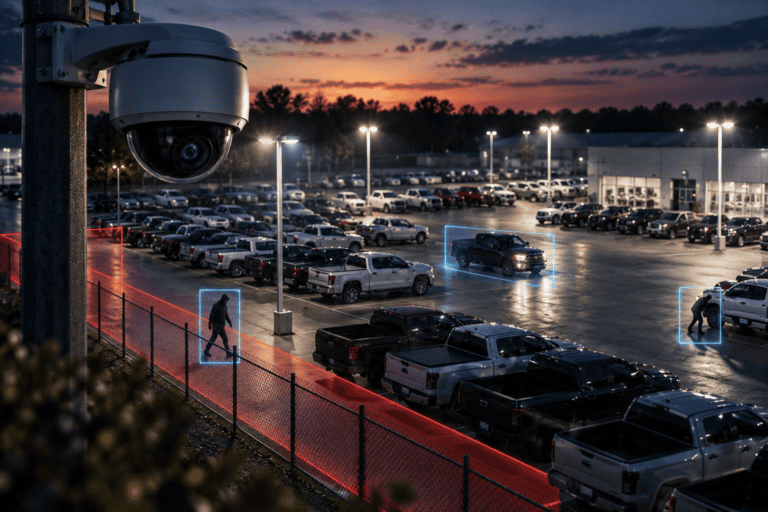
Removed and abandoned object detection watches defined zones, such as staging lanes, cages, or quality hold areas. In practice, the system flags a pallet left in a zone or removed from it, and saves a clip of the moment. A zone can be as small as a single floor location or as large as a full staging area.
This is especially useful for areas where pallets should stay put. A pallet leaving a quality hold area before release, for instance, is worth an immediate alert.
Reading the Pallet Label
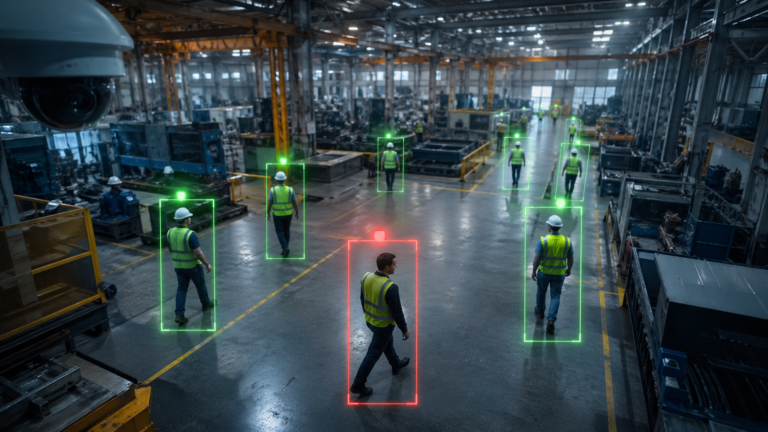
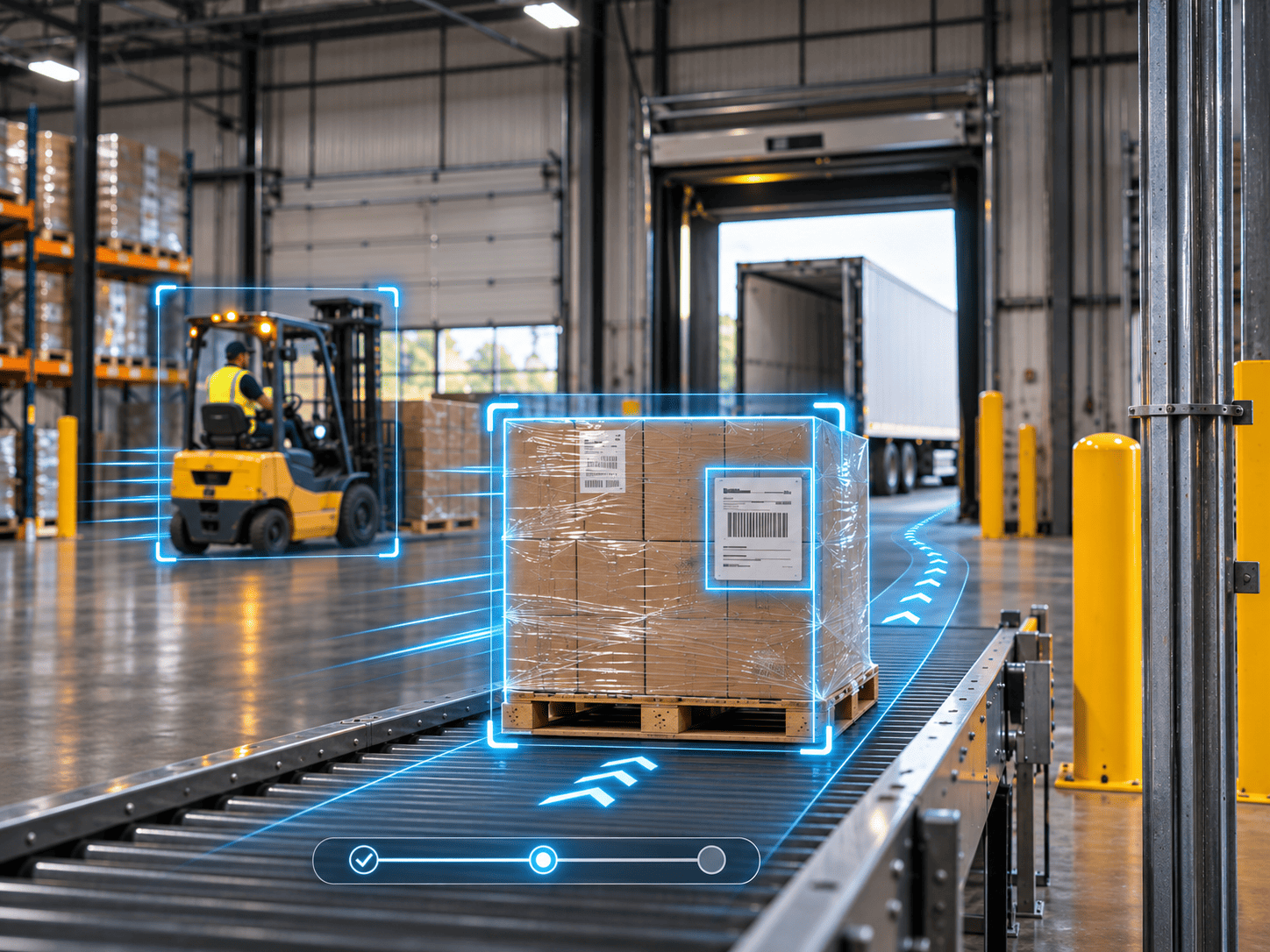
Most pallets already carry a printed label with a part number, order number, or customer name. OCR reads that text in the camera frame, with no scanner and no line of sight to a barcode required. As a result, each checkpoint record can include which pallet passed, not just that one did. Label reads work best at a natural pause point, such as a stretch wrap station, where every pallet stops briefly.
Read accuracy depends on label size, placement, and lighting. We explain those factors in our post on how AI cameras use OCR to read text.
Forklift Movement Across Key Lines
Vehicle detection and counting can log forklifts as they cross virtual lines, such as an aisle entrance or a dock door threshold. Paired with the zone records, this shows which truck carried a pallet from one area to the next. It also shows when the move happened.
This helps with training, too. If one aisle keeps producing misplaced pallets, the clips show whether the cause is the layout or a habit.
A Searchable Video Trail
Every checkpoint event is stored with a timestamp. So when a pallet goes missing, you do not scrub through hours of footage. Instead, you search the last place it was logged and follow the trail from there. You can also export a clip to share with a customer or carrier. Accurate timestamps are what make this possible, as we cover in why accurate timestamps matter in video security.
The Most Common Pallet Problems Cameras Solve
- Misplaced pallets: The last checkpoint tells you which area to search, instead of the whole building.
- Pallets released from hold too early: A zone alert catches the move as it happens, not at the customer’s receiving dock.
- Pallets loaded on the wrong truck: Label reads at the dock door confirm the right pallet left through the right door. See our post on verifying shipments before they leave.
- Pallets that walk out: Removed object alerts in high value zones flag moves that do not match normal workflow. We cover this further in our post on reducing lost inventory with video analytics.
- Disputes with customers or carriers: A clip of the pallet leaving your dock settles most arguments quickly.
AI Cameras vs. RFID vs. Barcodes: When to Use Each
Each method answers a different question. Choosing well depends on what you need to know and how precisely.
- Barcodes are cheap and precise. However, they only record a pallet when someone scans it.
- RFID reads tags automatically as they pass a reader. On the other hand, it means tagging every pallet and installing readers, which adds cost and upkeep.
- AI cameras need no tags and no scans. They log pallets at checkpoints and add video proof. But they do not give a live location for every pallet between checkpoints.
In practice, many facilities use cameras alongside barcodes. The scan updates the warehouse system. Meanwhile, the camera confirms what physically happened and catches the moves nobody scanned.
If you need to know the exact rack position of every pallet at every moment, cameras alone are not the right tool. If you mainly need to know where a pallet was last seen and who moved it, they are often the simplest option. For many mid-size warehouses, the practical answer is barcodes for the system record and cameras for proof.
There is a bonus, too. The same cameras also cover security and safety. A checkpoint camera at a dock door doubles as an after-hours intrusion camera. That shared use is a big reason camera tracking costs less than it first appears.
What Camera Tracking Cannot Do
It is worth being clear about the limits before you buy. Cameras only see what is in view. A pallet buried behind others in deep racking will not be read until it moves into the open.
Labels also matter more than most people expect. Torn, faded, or shrink-wrapped labels with heavy glare reduce read rates. Similarly, a pallet with no printed text can still be logged in and out of zones, but the system cannot say which pallet it was.
Finally, cameras do not update your warehouse system on their own. To track pallet movement automatically in that system, you need an integration, which adds scope. Many facilities start without one and use the video trail for searches and disputes.
How to Set Up Camera-Based Pallet Tracking
Setting up cameras to track pallet movement is mostly about choosing the right spots. Here is the order we follow:
- Pick your checkpoints. Receiving doors, staging lanes, hold areas, cages, and shipping doors cover most pallet moves.
- Standardize your labels. Large, machine-printed text in a consistent spot on the pallet makes OCR far more reliable.
- Place cameras for each job. Label reading needs a closer, steadier view than zone watching. Industrial IP video cameras handle the dust and lighting changes of a warehouse floor.
- Define zones and lines. Draw the areas and thresholds that matter, and set which events trigger alerts versus quiet logging.
- Tune, then expand. Start with your most problem-prone area. Once it works, add checkpoints across the building.
Some of these analytics need specific camera models. Our AI camera capabilities page lists what is available today, and a site walk confirms what fits your floor. Also, keep in mind that tracking only works while cameras are online. Our proactive service maintenance flags outages before they leave gaps in the trail.
Quick Checklist: Is Camera Tracking a Good Fit?
- Your team spends real time searching for misplaced pallets.
- Workers skip scans during busy periods.
- RFID feels like too much cost for the problem you have.
- Pallets already carry printed labels with readable text.
- You want video proof for customer or carrier disputes.
- You also need cameras for security or safety in the same areas.
Know Where Every Pallet Was Last Seen, Without Tagging a Single One
Knowing where your pallets go does not require RFID tags or perfect scanning discipline. AI cameras track pallet movement at the checkpoints that matter. They log zone entries and exits, read labels, record forklift moves, and keep a searchable video trail. They will not replace your warehouse system. Still, they will catch the moves it misses and turn a building-wide search into a quick look at one clip.
If you want to see where cameras could track pallets in your facility, Vulcan will walk your floor with you and map the checkpoints that would cover the most ground.
Frequently Asked Questions
Can AI cameras give the exact location of every pallet?
Not continuously. Cameras log pallets at checkpoints and in defined zones. For exact real-time positions across a whole building, RFID or a dedicated location system is a better fit.
Do pallets need special labels for camera tracking?
You do not need special tags, but label quality matters. Large, machine-printed text in a consistent position gives the most reliable reads.
Can camera tracking work alongside our barcode system?
Yes, and that is how most facilities use it. Scans keep your warehouse system updated, while cameras confirm physical moves and catch the ones nobody scanned.
Is camera tracking cheaper than RFID?
It often is, because there are no tags to buy for every pallet. The same cameras also serve security and safety. Costs depend on how many checkpoints you need, which a site walk can scope.
Does the video leave our network?
No. Vulcan systems process video on the camera and store it locally at your facility. Your footage stays on your network, and you own it outright.